

Workspace sections
The activity section in Mubarmij — project and team event log
The «النشاط» (Activity) section lists your project's events from newest to oldest: who invited a collaborator, changed their role or removed them, who accepted an invitation, who published the project, and who requested an AI build. The section is read-only and everyone with a role in the project can see it.
On this page
Where to find it
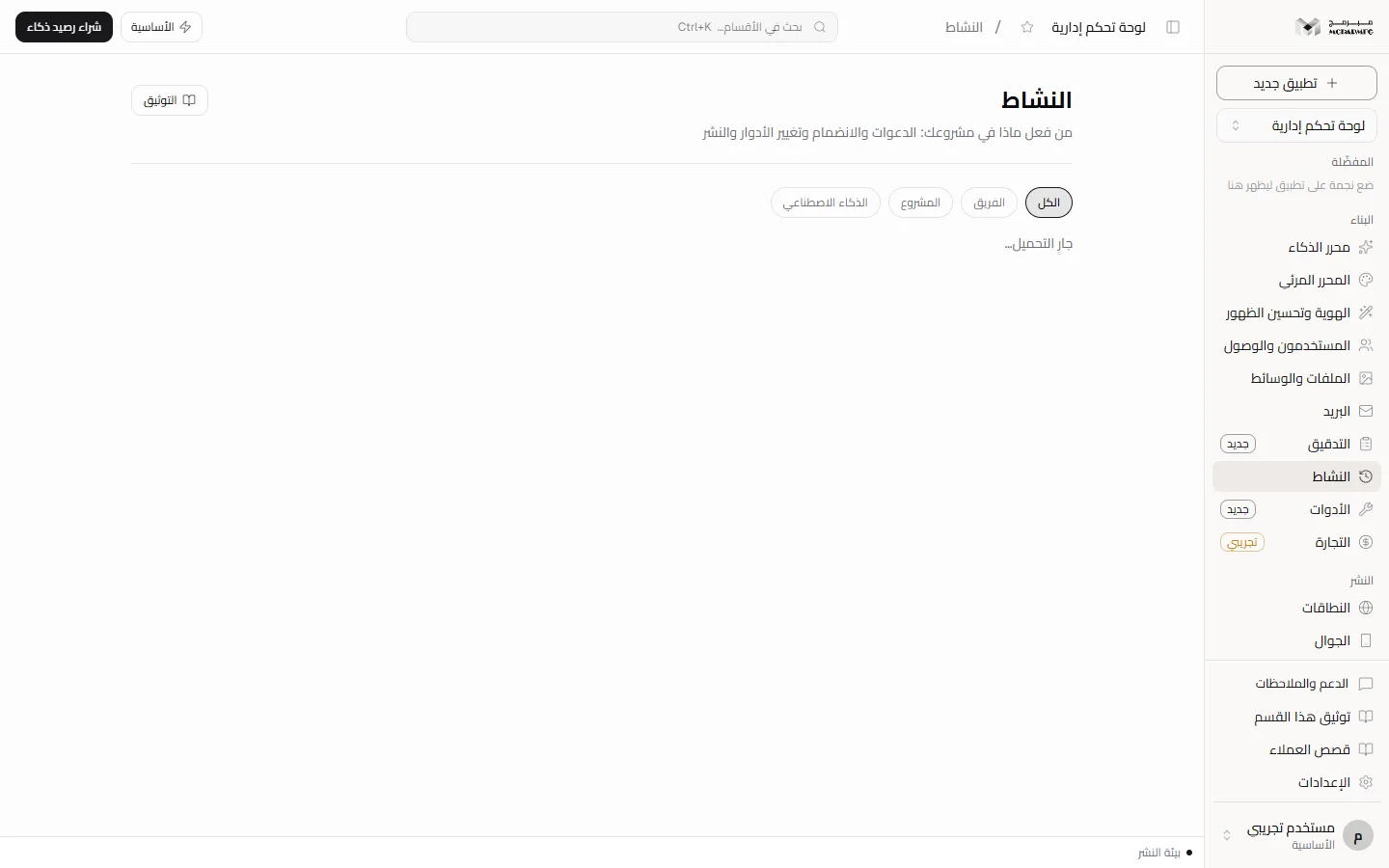
Open «النشاط» (Activity) from the «البناء» (Build) group in the project workspace sidebar. Its description reads «من فعل ماذا في مشروعك: الدعوات والانضمام وتغيير الأدوار والنشر» (who did what in your project: invitations, joining, role changes and publishing). The section is not locked on any plan.
What is recorded
Each row shows who acted, what they did, the details when there are any, and when. The events the platform writes for your project today:
- Team: «دعا متعاوناً» (invited a collaborator), «أعاد إرسال دعوة» (resent an invitation), «غيّر دور متعاون» (changed a collaborator's role), «أزال متعاوناً» (removed a collaborator), «غادر التعاون» (left the project, when members leave on their own), and «قبل دعوة التعاون» (accepted an invitation). The details of these events are the invited email address.
- Project: «نشر المشروع» (published the project) with the link slug, whether it was published from the editor or with an API key.
- AI: «أنشأ كوداً بالـ AI» (generated code with AI) for agent requests (with the first 100 characters of the prompt) and for building a milestone (with the milestone name).
Recording project creation, deletion and unpublishing in this log is Not available yet: those actions have names in the code but nothing writes them, so the «المشروع» (Project) filter shows publish events only.
Filtering and paging
Above the list are «الكل» (All), «الفريق» (Team), «المشروع» (Project) and «الذكاء الاصطناعي» (AI). Events load 30 at a time, and «عرض الأقدم» (Show older) appears while there are more. With nothing to show you see «لا نشاط مسجَّل بعد» (No activity recorded yet).
Who can see the log
The project owner, a platform admin, and every collaborator who accepted an invitation, whatever their role (viewer, editor or admin). Anyone without a role in the project is not let into the workspace at all and is sent back to the dashboard, and the log route answers them with «المشروع غير موجود» (project not found). Because team event details are the invited email address, every project member, viewers included, sees those addresses.
Invitations, role changes and removals are managed from the «أعضاء المشروع» (Project members) panel in Settings.
Your account activity in the dashboard
The «النشاط» (Activity) page in the account dashboard lists what you did across your projects and adds «الحساب» (Account) and «الاشتراك» (Subscription) to the filters. The page says «سجلّ ما فعلته في حسابك ومشاريعك. نشاط فريق مشروعٍ بعينه في قسم «النشاط» داخل المشروع.» (a log of what you did in your account and projects; a specific project's team activity is in that project's Activity section).
Signing in and creating an account are not written to the log today, so the «الحساب» (Account) filter stays empty; the «الاشتراك» (Subscription) filter only shows a manual subscription created by an admin.
Through the API
The same log is available with a browser session at GET /api/activity: projectId for a project's activity, action for one action or a family ending in a dot such as collab., before for an older page, and limit from 1 to 100. The response carries nextBefore when there is a next page.
FAQ
Can I delete an event from the log?
No. The route is read-only and the section has no edit or delete tool.
Why don't I see project creation in the log?
Because the platform does not write that event yet; the recorded events are listed under «What is recorded» above.