

Workspace sections
Database: browsing tables and importing CSV
The «قاعدة البيانات» (Database) section under «متقدّم» (Advanced) reads your project files: the prisma/schema.prisma schema if present, and the data/*.json files that CSV import writes. The screen is for browsing, importing and initializing, not for editing rows or running queries.
On this page
Access and plans
Open «قاعدة البيانات» (Database) under «متقدّم» (Advanced). The section needs hosting, so it is locked on المجانية (Free) and refused with HTTP 402. Engines in each plan's contract:
| Plan | Engines |
|---|---|
| المجانية (Free) | - |
| الأساسية | sqlite, postgresql, mariadb |
| المميزة | sqlite, postgresql, mariadb |
| الاحترافية | sqlite, postgresql, mariadb |
MariaDB is listed in the plan contract but this screen does not recognise it: it shows SQLite, PostgreSQL and «ملفّات JSON» (JSON files) only, and anything else appears as «غير معروف» (unknown). Showing MariaDB is Not available yet.
What you see
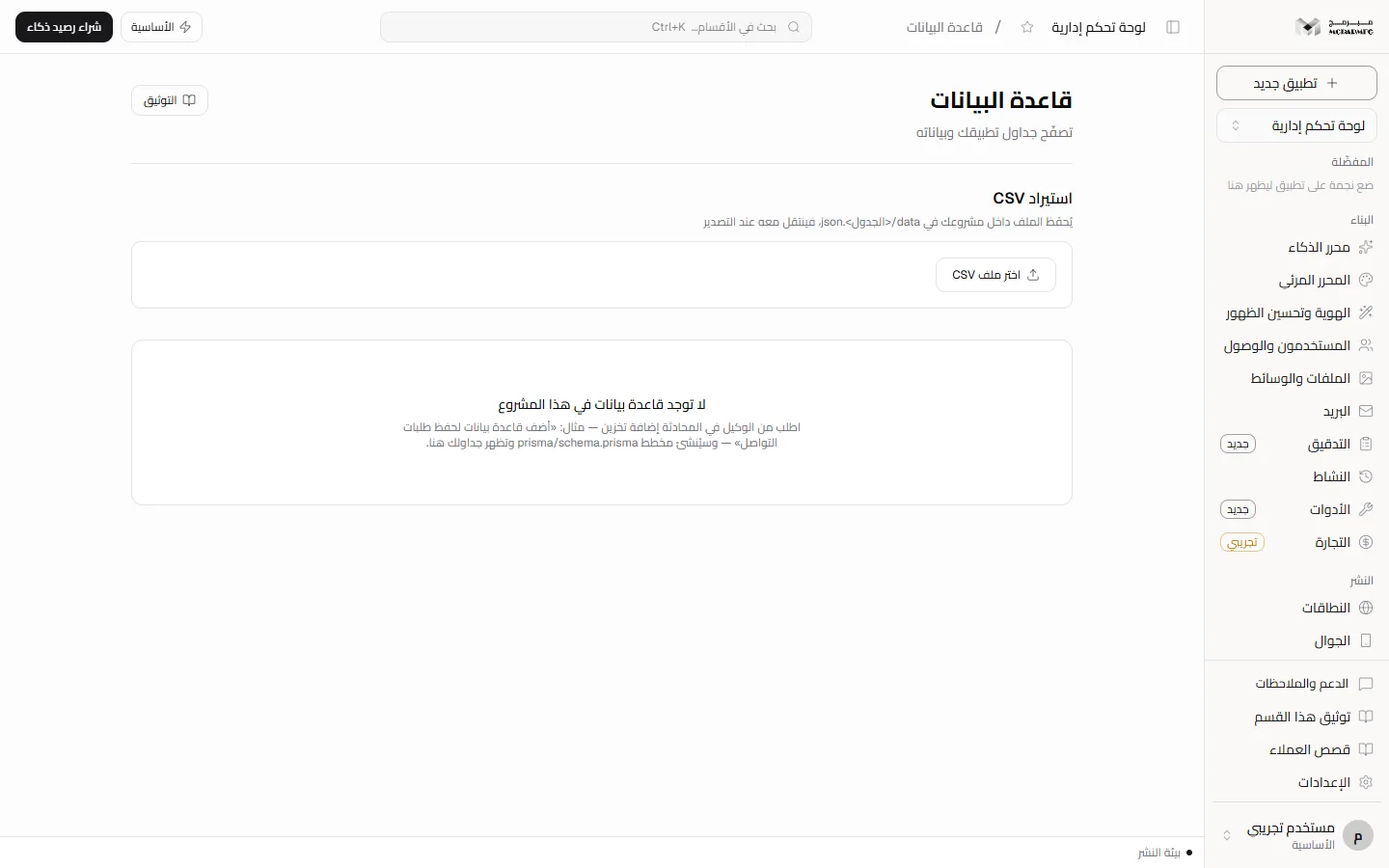
With no schema and no file tables you see «لا توجد قاعدة بيانات في هذا المشروع» (no database in this project), with a suggestion to ask the agent in chat to add storage (for example, a database to save contact requests), which creates prisma/schema.prisma. See Chat.
Otherwise three tiles appear: «النوع» (Type), «الحالة» (Status: «مهيّأة» initialized or «غير مهيّأة» not initialized) and «الجداول» (Tables: schema and file tables together), then two panels: «الجداول» (Tables) and «الصفوف» (Rows).
Browsing tables
- Type in «ابحث في الجداول…» (Search tables) to filter the list.
- Schema tables carry a «مخطّط» (Schema) tag and do not open: their names are read from
prisma/schema.prismaonly. - File tables (imported from CSV) show their row count; click one to show its rows in the Rows panel.
The first 200 rows are shown and the panel description says so. Columns are collected from the rows themselves, and empty values show as «—».
Browsing rows of schema tables (SQLite or PostgreSQL) is Not available yet: only their names are shown. There is no editing, deleting a row or running a query on this screen — everything it shows is read-only.
CSV import
The «استيراد CSV» (CSV import) panel saves the file inside your project under data/, named after the table with a json extension, so it travels with the project on export.
- Click «اختر ملف CSV» (Choose CSV file) and pick a file (up to 5 MB).
- The preview shows valid rows, rejected rows and column counts, a sample table, and the rejected lines with reasons.
- Check «اسم الجدول» (Table name): suggested from the file name; it starts with a lowercase letter and accepts digits, hyphens and underscores.
- Choose «استبدال المحتوى» (Replace content) or «إضافة إلى الموجود» (Append to existing).
- Click «استورد» (Import). You see how many rows were imported and rejected. «إلغاء» (Cancel) discards the preview.
Common refusals: «لم يُرفَع ملف» (no file uploaded), «حجم الملف يتجاوز ٥ ميغابايت» (file exceeds 5 MB), «لا توجد صفوف صالحة للاستيراد» (no valid rows to import).
Initializing the database
When the type is SQLite or PostgreSQL a «هيّئ القاعدة» (Initialize database) button appears, or «أعد التهيئة» (Re-initialize) once initialized. It syncs the project files, then applies the schema to the project's own copy. Success shows «تمت تهيئة قاعدة البيانات» (database initialized); failure shows the error.
Initialization applies the schema with an option that accepts data loss, so re-initializing after a schema change can drop data in changed tables. PostgreSQL status always shows «غير مهيّأة» (not initialized) because the screen does not read the PostgreSQL server's state: measuring it is Not available yet.
FAQ
Where is CSV data stored?
In your project files under data/, so you also see it in Code and it is kept in Versions.
Why is there no initialize button?
It does not appear when there is no Prisma schema or when the data is file tables only.