

Publishing and domains
The Showcase workspace section — public visibility and remixing
The «المعرض» (Showcase) section controls the card that represents your app outside the workspace: whether it is public, whether others can copy it as a template, and under which name, description and images. A card is only shown for a published app.
On this page
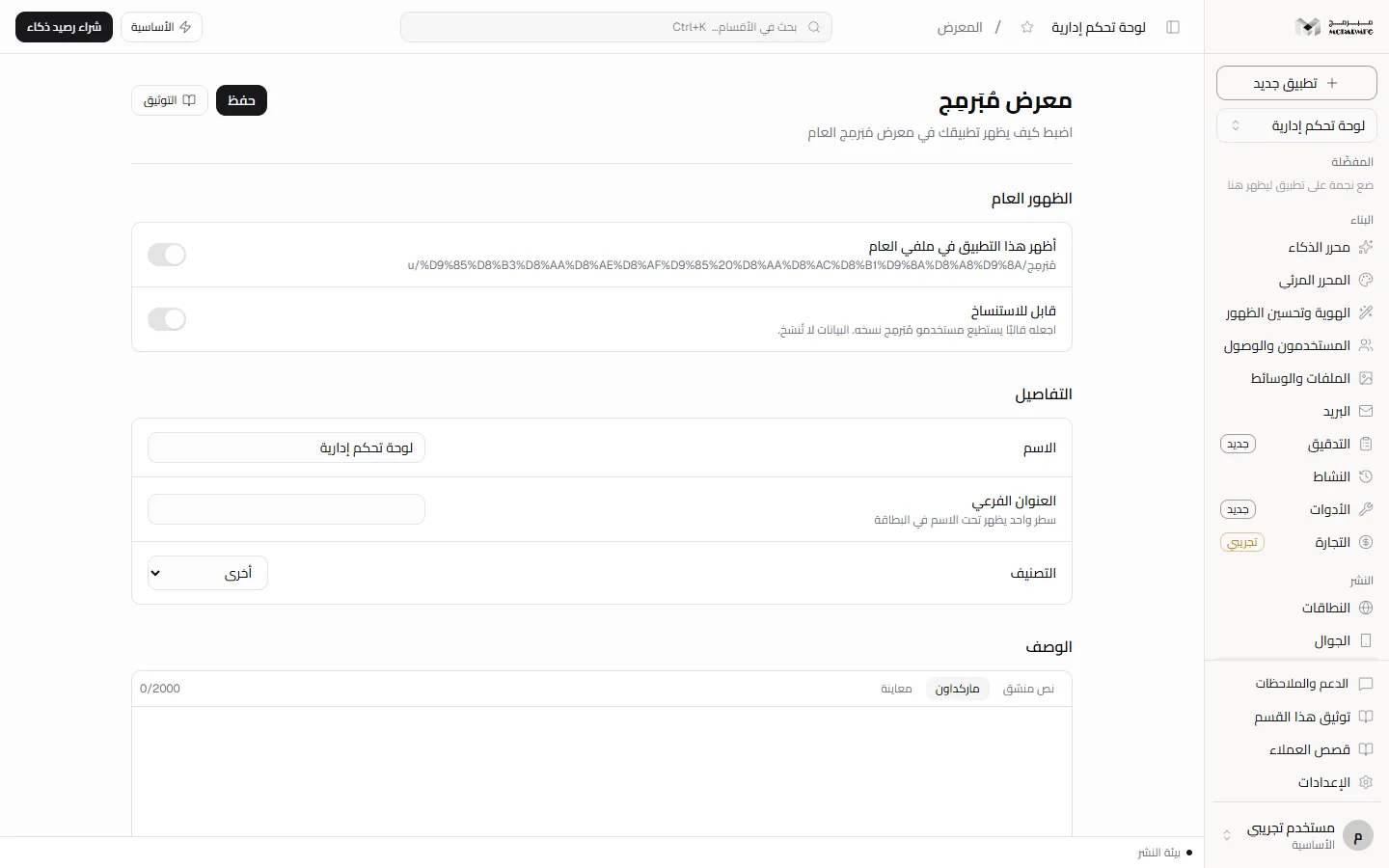
Open this section from the project workspace sidebar as «المعرض» (Showcase). The page title is «معرض مُبَرمِج» (Moparmeg Showcase), with «اضبط كيف يظهر تطبيقك في معرض مُبَرمِج العام» (set how your app appears in the public Moparmeg showcase) underneath.
Public visibility and remixing
The «الظهور العام» (Public visibility) panel has two toggles. Each one saves the moment you flip it, without pressing «حفظ» (Save):
- «أظهر هذا التطبيق في ملفي العام» (Show this app on my public profile) — below it is your public profile address (
/u/your-name, or/p/plus the project slug if your account has no name). - «قابل للاستنساخ» (Remixable) — «اجعله قالبًا يستطيع مستخدمو مُبَرمِج نسخه. البيانات لا تُنسَخ.» (Make it a template other Moparmeg users can copy. Data is not copied.)
Turning public visibility on can fail with one of two messages:
- «انشر التطبيق أولًا ثم أظهره في المعرض» (Publish the app first, then show it in the showcase) — the project is not in the published state, and the card would lead to a page that does not open for unpublished apps. Publish first from Publish.
- «اسم التطبيق مطلوب قبل إظهاره في المعرض» (An app name is required before showing it in the showcase) — the name field is empty.
Turning public visibility on also makes the project itself public. Turning it off hides the card and records your choice, so the card does not come back automatically when you republish, and your site stays reachable at its address.
Anyone with a role on the project can open this section, but changing the toggles and details is for the owner or a collaborator with the «مدير» (Admin) role; the «مشاهد» (Viewer) and «محرر» (Editor) roles are refused with «إدارة هذا القسم لمدير المشروع أو مالكه» (Managing this section is for the project admin or owner).
Name, category, description and screenshots
- In the «التفاصيل» (Details) panel, type «الاسم» (Name), then «العنوان الفرعي» (Subtitle — «سطر واحد يظهر تحت الاسم في البطاقة», one line shown under the name on the card), then pick «التصنيف» (Category): online store, business, portfolio, software platform, education, health, restaurants, real estate, other.
- Under «الوصف» (Description) write up to 2000 characters.
- In «لقطات الشاشة» (Screenshots), paste an image URL into «رابط الصورة» (Image URL) and press «إضافة» (Add). The limit is six images; the button is disabled once reached. To remove one, hover it and press the trash icon.
- Check «معاينة البطاقة» (Card preview): the first screenshot becomes the card image, otherwise «لا توجد لقطة» (No screenshot).
- Press «حفظ» (Save) at the top; «حُفظ» (Saved) appears.
Screenshots are URLs you paste, not files you upload from this page: uploading an image from your device directly here is Not available yet.
Where the card actually appears
- Automatic listing on publish: when a public project is published, its card is created automatically with the project title and category and a screenshot is captured — unless you had turned public visibility off.
- «من المجتمع» (From the community) on the dashboard: the card appears here only when both toggles are on and the project is published and public. This is where the name, subtitle and category from this page are shown.
- The public «المعرض» page (
/showcase) and your public profile: they list published public projects using the project's own title, description and thumbnail, not the fields on this page. - The app page
/p/: visitors see the «نسخ (Fork)» button only when «قابل للاستنساخ» is on. Anyone trying to copy without it is refused with «صاحب هذا المشروع لم يسمح بنسخه» (The owner of this project has not allowed copying).
Turning «الظهور العام» off hides the card from «من المجتمع», but it does not remove the project from the public Showcase page or your public profile, because those read the project's state, not the card. Hiding the project from them while keeping the site published is Not available yet.
Plans
The Showcase section is not locked on any plan, including «المجانية» (Free). The only requirement is that the app is published; see Publish and Billing.
FAQ
Does someone who remixes my app copy my data?
No. The toggle text says it directly: «البيانات لا تُنسَخ» (Data is not copied). The project is copied as a template.
I republished — will the card show again?
Not if you turned public visibility off yourself. Your choice is stored and the automatic listing honours it.